Hands-onW103DFT-7102026-10-11
A ¥125 Box
as My FT-710's Remote Server
The radio is chained to the desk because its front panel is a computer. This is the whole road: what I actually wanted, what such a server really needs, how it compares with a Raspberry Pi or a mini PC, why a second-hand carrier cloud terminal won, the six defects the first real box exposed, and what the ¥125 bought.
1. The idea: a radio should not be tied to the desk
An FT-710 needs nothing added: CAT, a USB sound card and a real spectrum interface are all inside the case, reachable through one USB cable. What it lacks is any way to use it from somewhere else — from the sofa for twenty minutes on 40 m, from the balcony while adjusting an antenna, or from a hotel room to check whether the band is occupied.
The first reflex is remote desktop or VNC. I tried it honestly and dropped it, for three concrete reasons:
- The audio takes a long detour: radio → USB sound card → computer → the desktop's audio channel → your ears. Every extra resample and buffer multiplies latency and dropouts.
- A remote desktop is not a front panel: you want a few controls and a waterfall, not a shrunken desktop. And a waterfall inside a remote desktop is just video — bad frames per second at a bad bitrate.
- It needs a computer left on: running an x86 tower 24/7 just to listen to a radio is the wrong shape for the power bill and the noise.
The shape I actually wanted is the other way round: the server sits next to the radio, the browser is only a panel. Phone, tablet, laptop — whichever is at hand opens a URL and becomes a radio that can listen, show a waterfall and press PTT. That server has to hold the radio's USB (serial, sound card, spectrum), encode audio, push state to the browser, and run for years without heat or noise.
2. Research: what such a server really needs
Quantify the requirement before shopping. The server is Python (there is a GIL): the hot path lives on one core, so core count does not help — single-thread performance decides everything. Item by item:
| What actually decides it | Why |
|---|---|
| Single-thread performance | Python server, audio encoding and spectrum parsing share one event loop; extra cores only help other processes |
| At least two USB ports | One for the radio cable, one spare for a tuner, a stick or a keyboard. This is the most common way to get it wrong |
| A wired NIC | Each client needs roughly 60 KB/s — 100 Mb is plenty. But Wi-Fi jitter turns straight into chopped audio |
| 24/7 power and heat | It stays powered on beside the radio; fan noise and the power bill are part of the cost |
| Price and availability | Once the four above are satisfied, this is the one that actually decides |
Then look up measured single-thread scores for the candidates (PassMark, one source, fetched the same day — with sample counts, because anything below a hundred samples is a hint, not a fact):
| Processor | Single-thread | TDP | Samples | Server hot path ≈ |
|---|---|---|---|---|
| Intel N100 | 1879 | 6 W | 4111 | ~8% |
| AMD R1505G (HP t640) | 1822 | 15 W | 138 | ~8% |
| Broadcom BCM2712 (Pi 5) | 1813 | — | ⚠️ 4 | ~8% |
| Intel Celeron J1900 | 653 | 10 W | 881 | ~22% |
| Intel Atom D525 | 293 | 13 W | 336 | ~49% |
The conclusion is counter-intuitive and useful: compute is almost never the selection criterion. From a 2008 Core 2 Duo to today's N100, anything scoring above ~700 single-thread spends 15–45% of one core, and 2 GB of RAM with a few hundred MB of storage is plenty. What actually blocks the project is USB port count, the NIC, power draw — and whether the thing is easy to buy and easy to install.
3. The comparison: four roads and their real price
| Option | What is good | What it costs you |
|---|---|---|
| N100 mini PC (new) | Highest single-thread, 6 W, four cores, warranty — the one tier where you never have to compute headroom | The most expensive (typically ¥500+ for a complete new machine, plus storage and PSU) |
| Second-hand thin client (HP t640, Dell Wyse …) | Single-thread on par with the N100 (1822 vs 1879), 15 W, dumped in volume by enterprises, cheap | You must pick a model: USB port count, storage form factor, whether Linux installs at all; stock and condition are luck |
| Raspberry Pi 4 / 5 | Official images, the thickest ecosystem, the most tutorials — almost zero porting | Prices and stock; you add PSU, cooling and storage; with accessories usually ¥400 and up |
| A carrier box (ZTE W103D) | ¥125 second-hand, <5 W, 32 GB eMMC, two USB ports and a wired NIC included | You replace the OS yourself: vendor kernel, cannot be upgraded; 100 Mb NIC; Wi-Fi needs a community driver |
Note the difference in the last row: the first three are "buy it and install something"; this one is "buy it and replace the operating system". It works here because we already build a server image for MRRC Modern — and that is also the part of this project that took the longest.
4. Why this ¥125 box
Let me be clear: it was never meant for radio amateurs. It is a carrier-issued "cloud terminal" — China Mobile / ZTE W103D, Android out of the box, made to drive a monitor against a cloud desktop. I paid ¥125 second-hand, for a plain reason: it satisfies all four requirements from section 2.
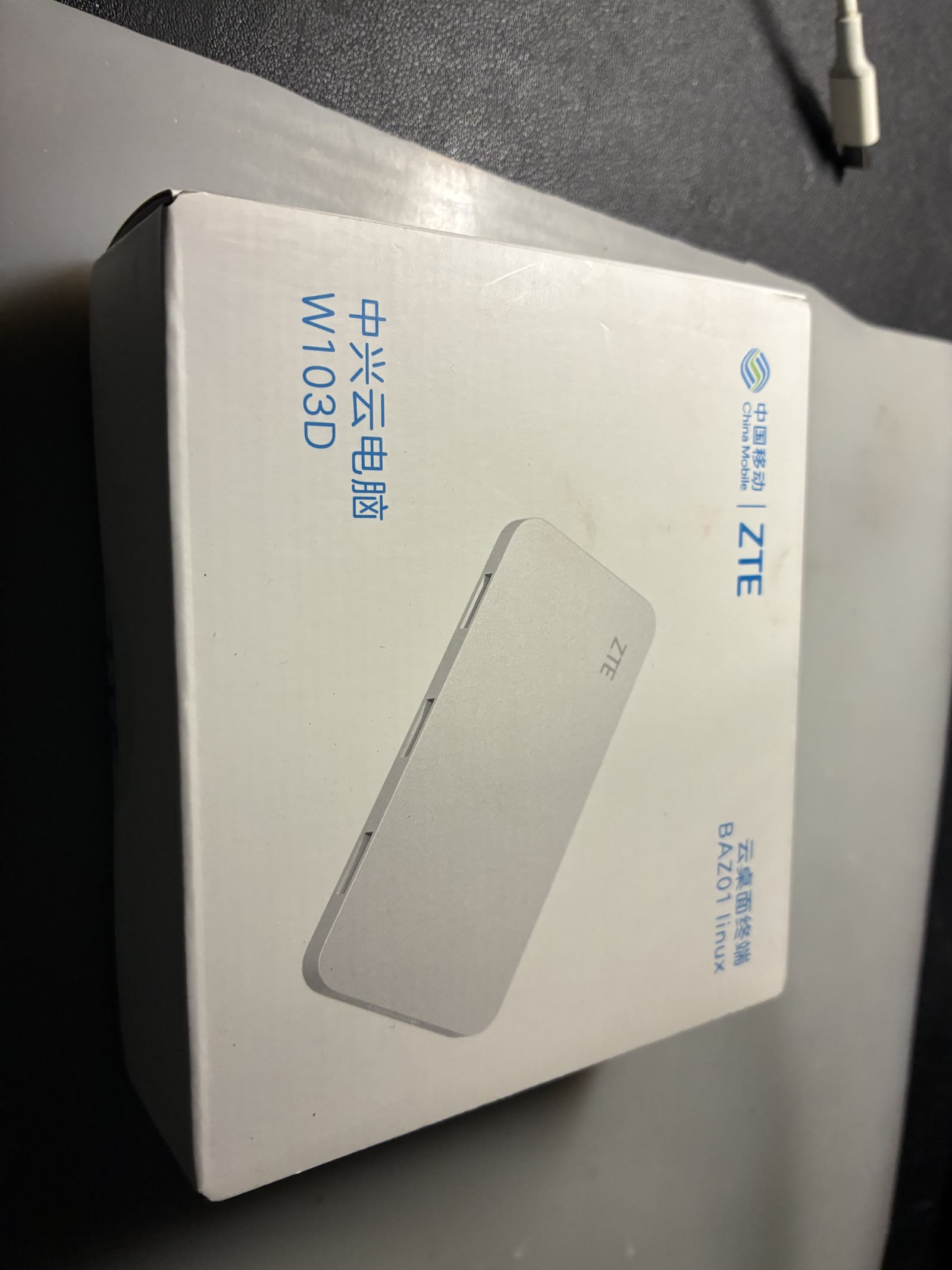
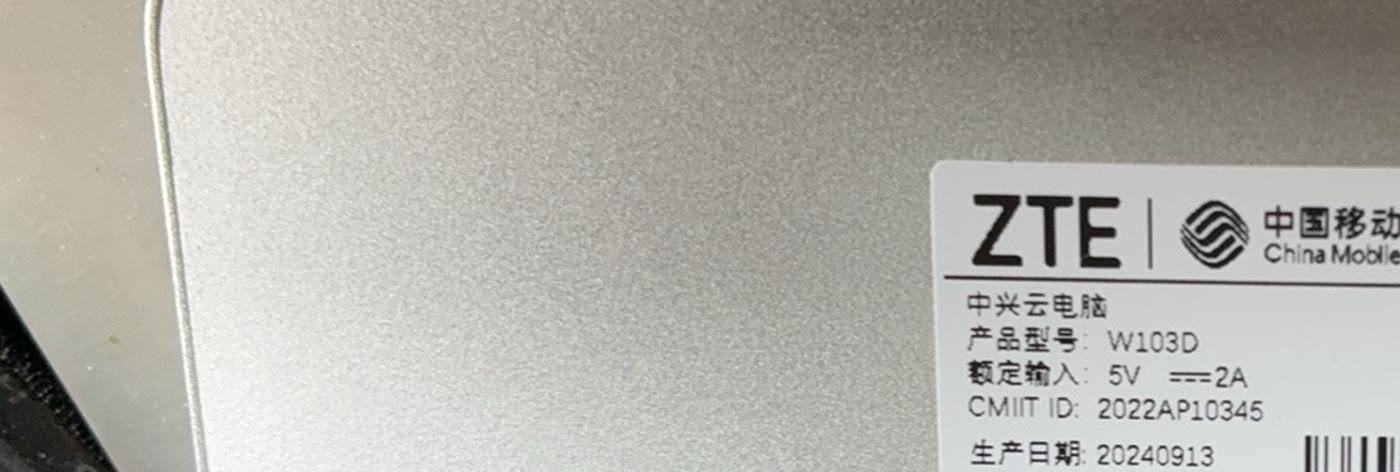
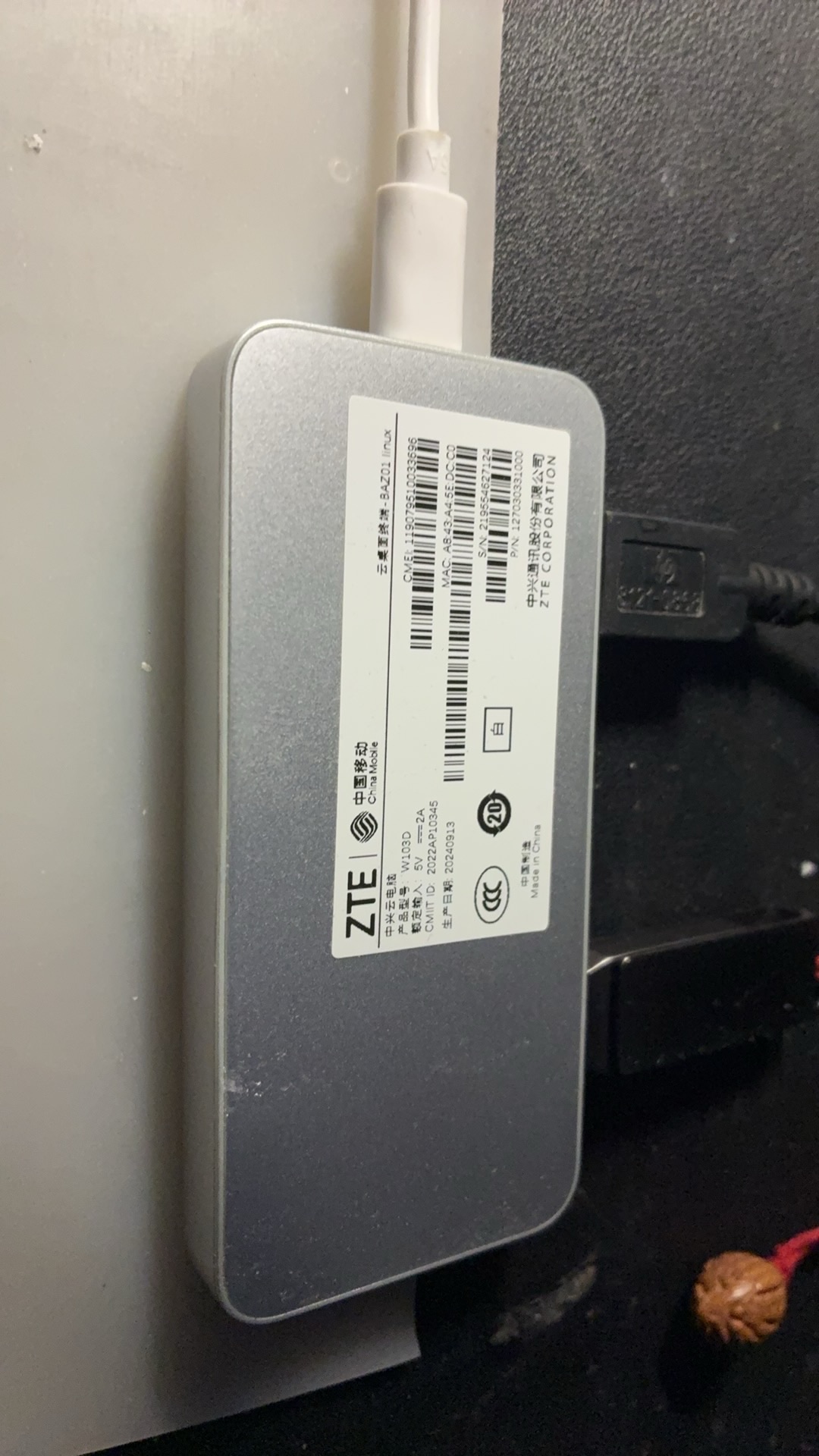
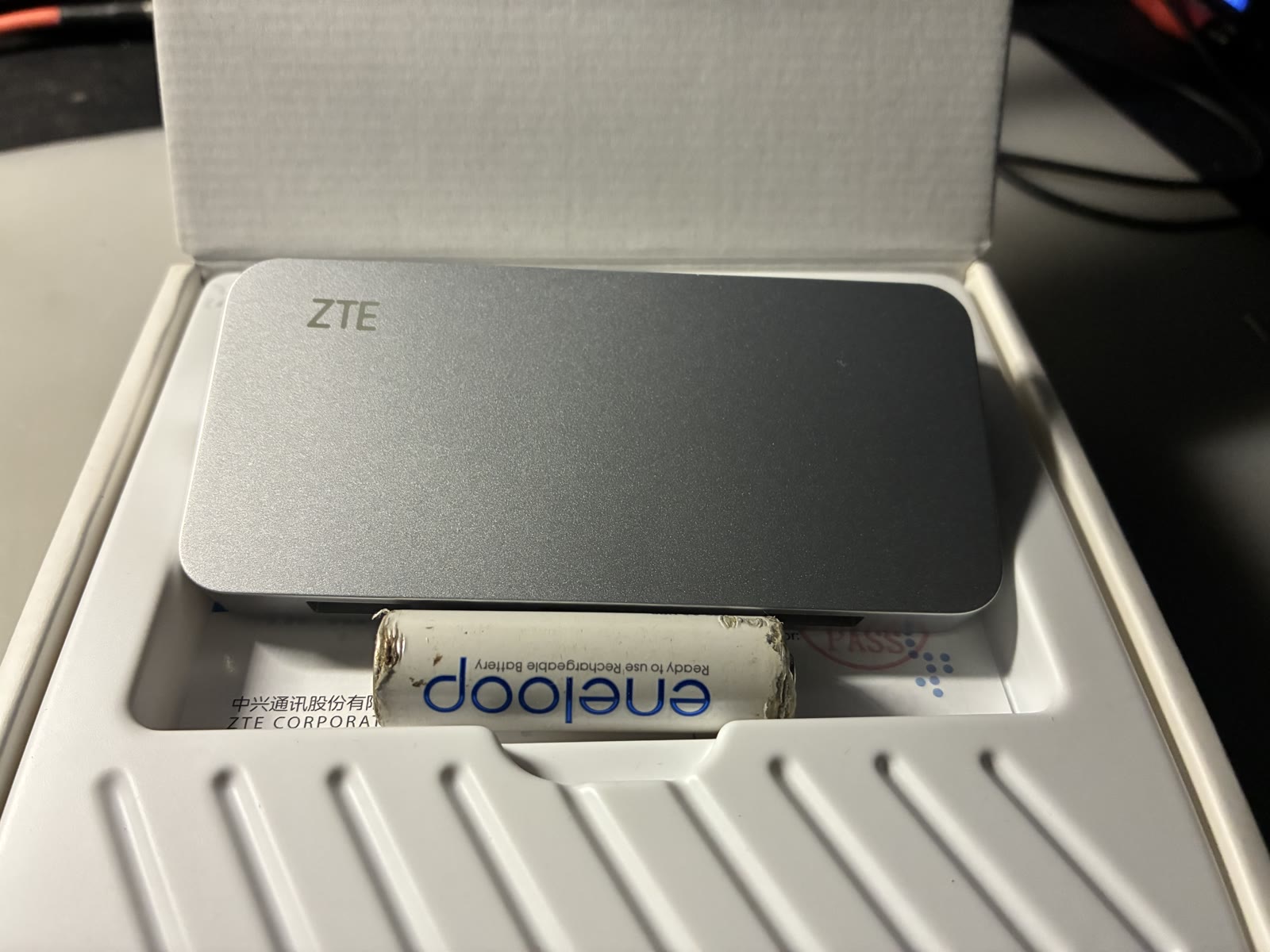
| ZTE W103D | Raspberry Pi 4 | Raspberry Pi 5 | |
|---|---|---|---|
| SoC | S905L3A · 4×A53 (in-order) | BCM2711 · 4×A72 (out-of-order) | BCM2712 · 4×A76 (out-of-order) |
| RAM / storage | 2 GB / 32 GB eMMC | 1–8 GB / microSD | 4–8 GB / microSD·NVMe |
| NIC | 100 Mb | Gigabit | Gigabit |
| Power | < 5 W | ~3–7 W | ~5–12 W |
| Software maturity | Vendor kernel, cannot upgrade | Official images, biggest ecosystem | Same |
s905l3a-w103d variant, kernel 6.18). In other words:
the money you save, you pay back in your own time. If
you are willing to spend that time, this is the cheapest option on the
table.
5. Hands-on: from unboxing to a waterfall on the phone
Five steps, needing only a network cable, a USB stick and a computer you can SSH from:
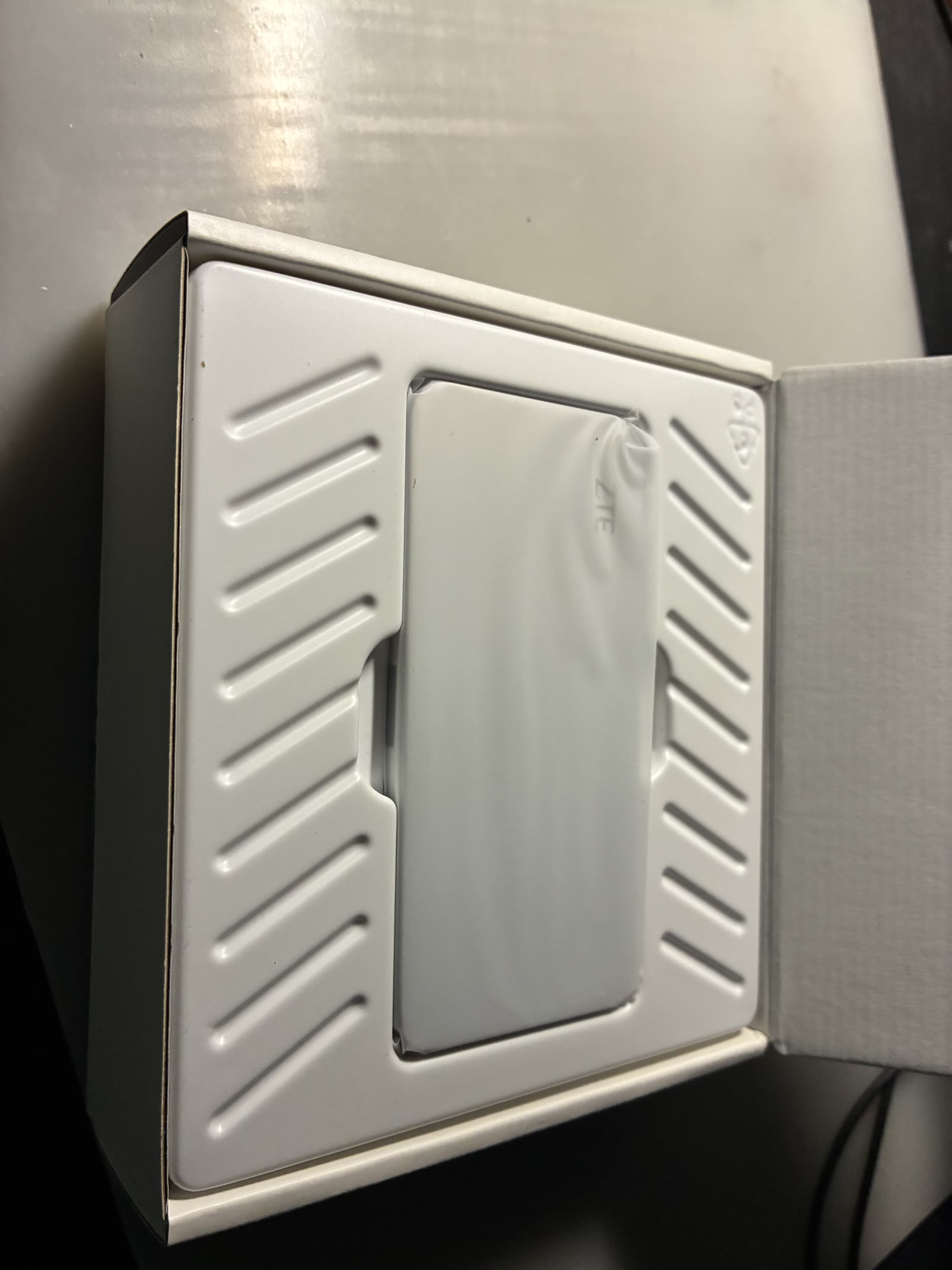
① Write the USB stick
Flash the image to a USB stick (check the device name twice) and plug it into the box:
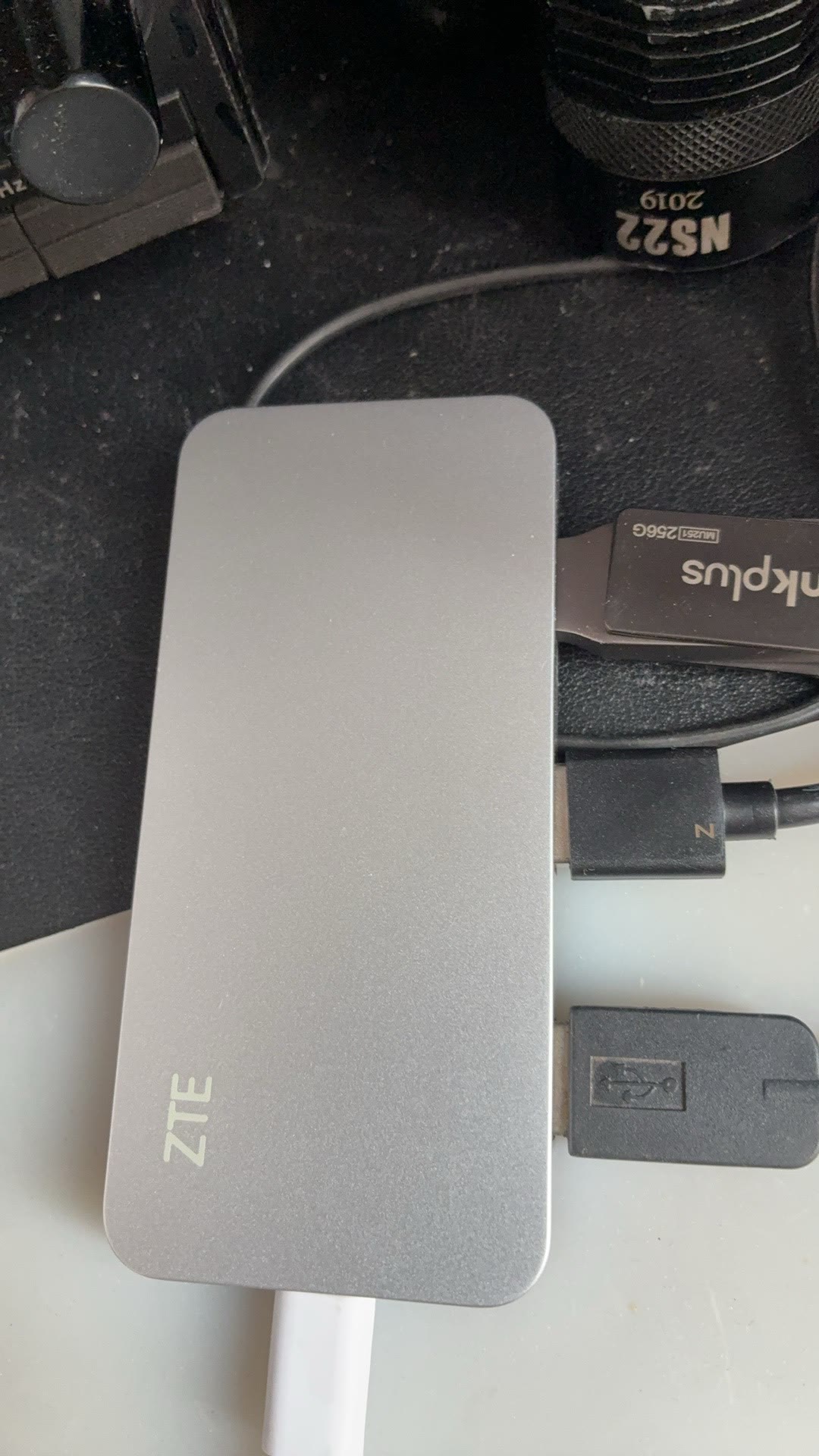
② Boot from USB (Android stays untouched)
Power the box and run reboot update once from Android. It
then boots from the stick. This
writes the u-boot boot order once and touches no Android partition or
data
— unplug the stick, power-cycle, and it is the same Android box again.
My favourite property of this whole approach: failure is free, because
nothing was changed.
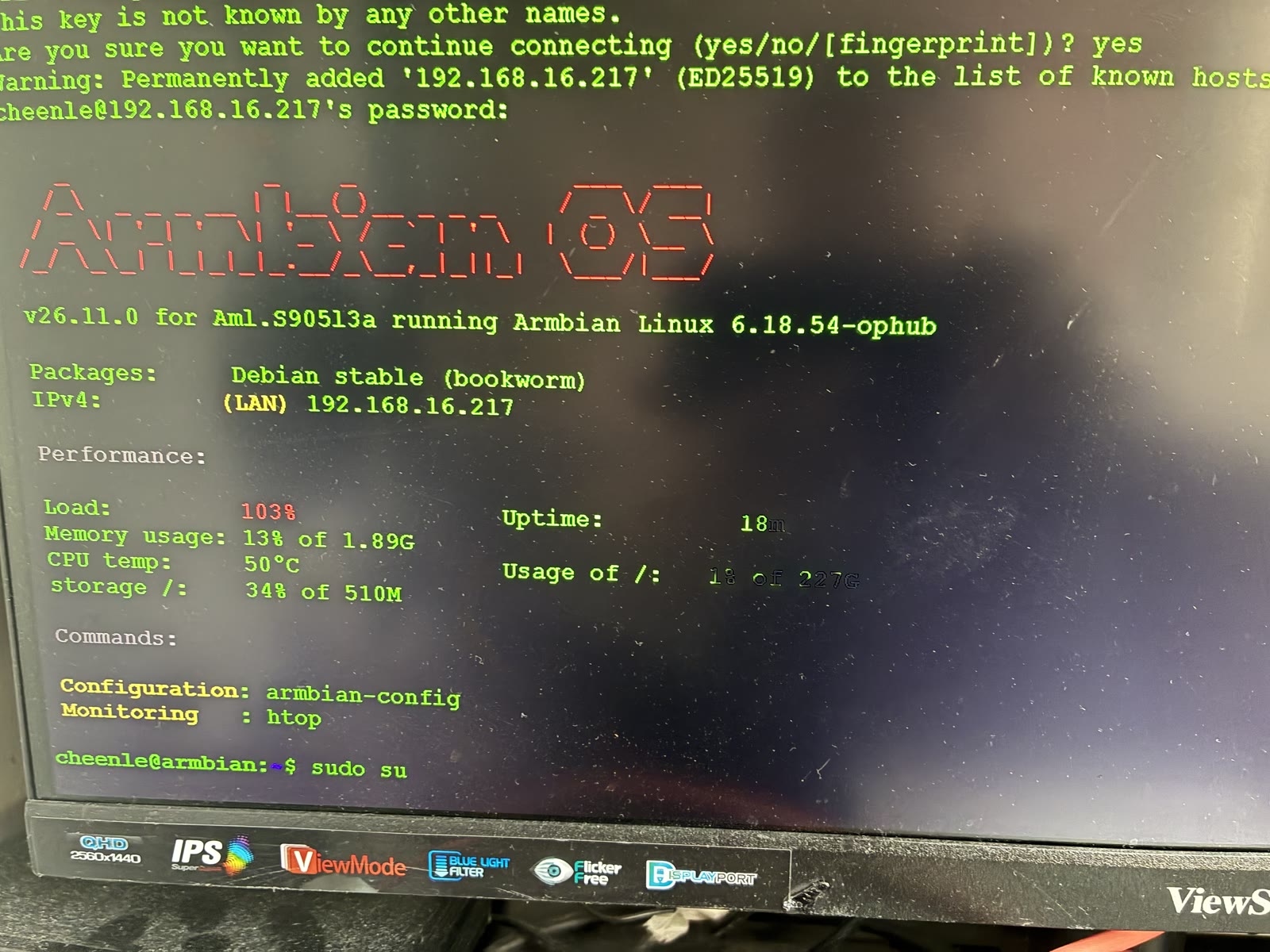
③ Connect the radio
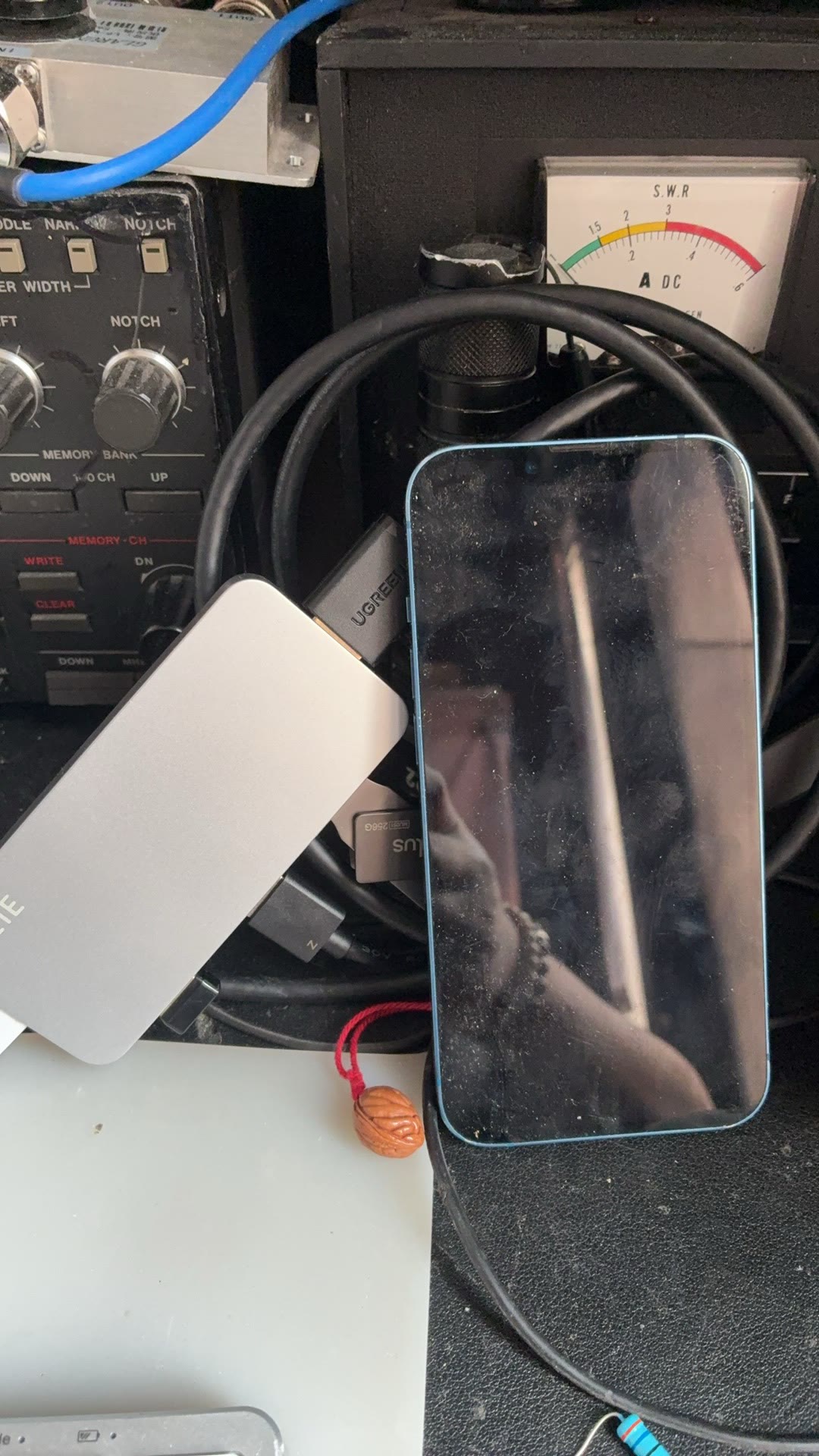
The FT-710 plugs into the box through its
upper "Enhanced" port; one cable delivers three things
at once: the CAT serial port (/dev/ttyUSB0), the USB sound
card, and the FT4222 interface used for the real spectrum. Switch models
with the bundled command:
ssh root@<box-ip>
mrrc-radio use ft710        # probes the serial port → writes config → restarts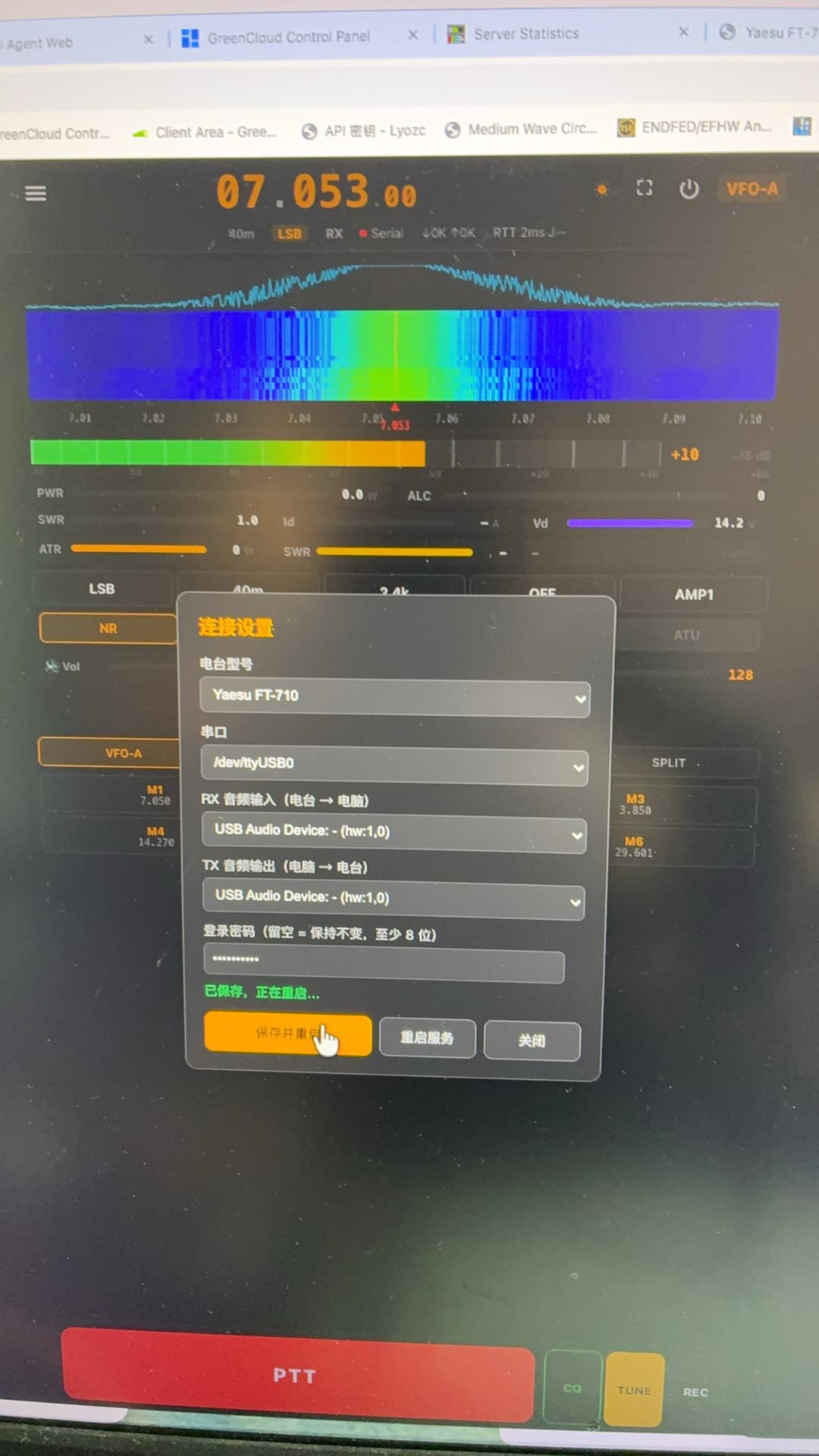
④ A radio on the phone
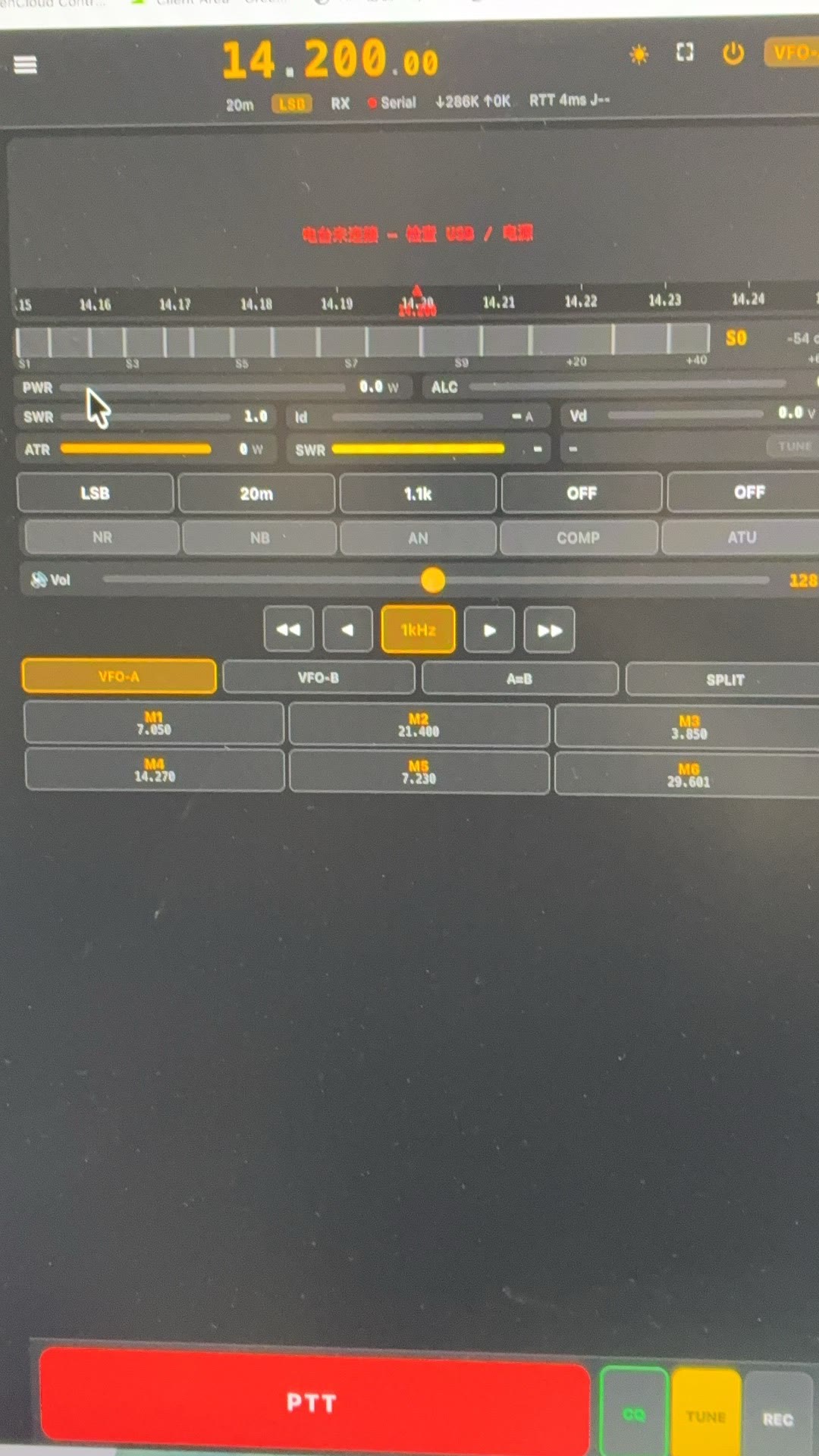
⑤ Move it onto the box itself (and retire the stick)
Everything above still ran off the USB stick. The last step makes the box standalone: run ophub's installer on the box and it clones the running system into the internal 28.9 GB eMMC, bootloader handling included.
armbian-ddbr            # first: back the whole eMMC up to /ddbr/ (factory bootloader included)
armbian-install         # device ID 307 (ZTE-W103D), rootfs 1 (ext4) — never add -m yes
poweroff                # unplug the stick, power on: it boots from eMMC from now on
Two things worth knowing. The installer keeps the factory bootloader
byte for byte — only the 68-byte partition table
changes, and you can prove it with cmp. And it regenerates
the machine-id, so the box's IPv6 interface identifier changes once:
anything that follows it by name (a DDNS updater, the Cloud Hub tunnel)
catches up by itself within minutes.
What is left is the final form: the box, a power lead, and one USB lead for the radio — no stick, no monitor, 28.9 GB of its own storage, and the stick becomes the rescue copy (the full eMMC backup lives on it).
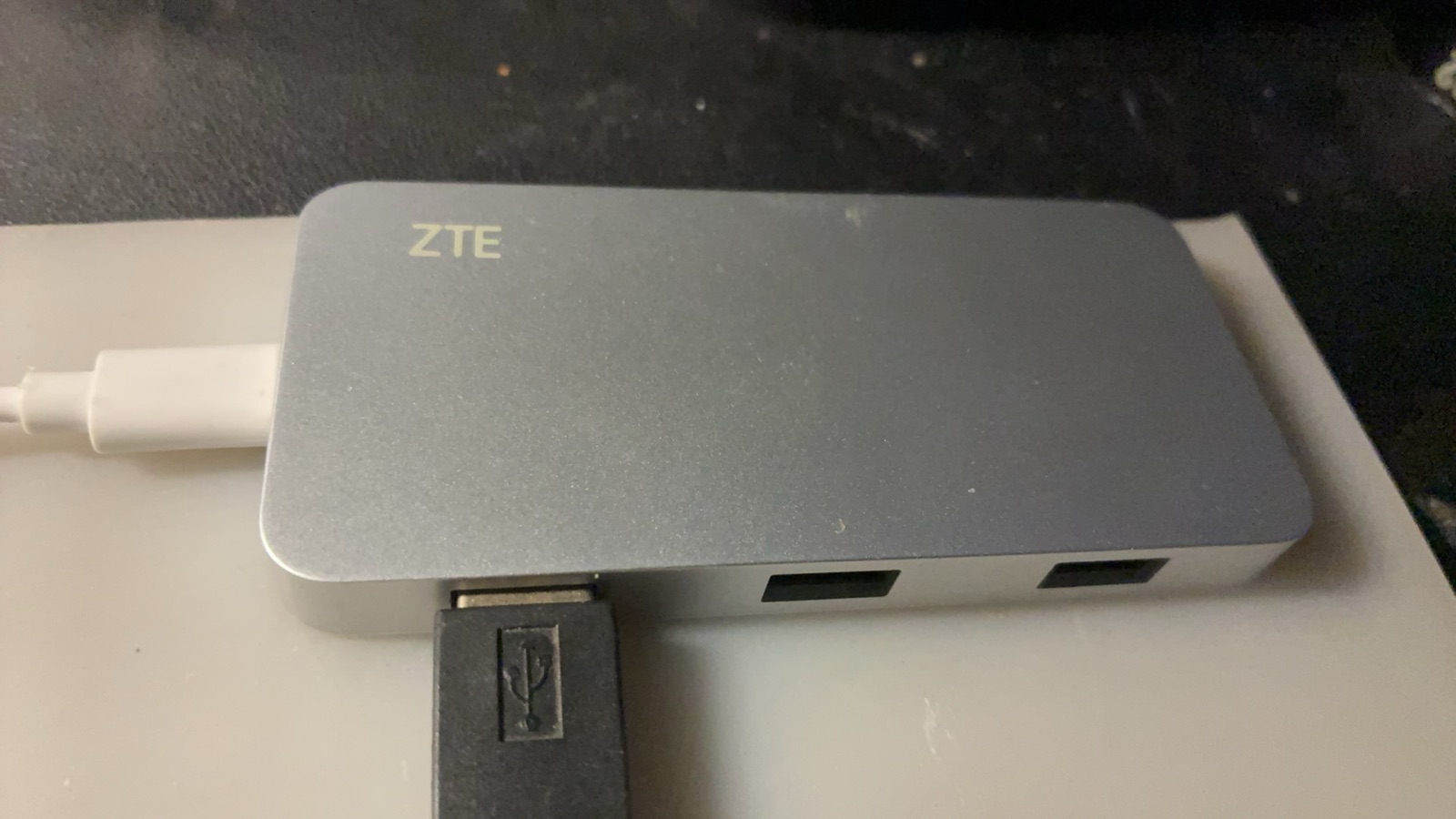
6. Booting is not working: six defects the real box found
The image had been built and verified in a container — "green all the way". The first evening it ran on real hardware with a real radio attached, it produced six defects. Every one of them only shows up on this hardware, which is why I refuse to treat "the build succeeded" as evidence. All six were then fixed, given regression guards, and the image was rebuilt (52 acceptance checks green); the table in section 8 is what was measured item by item afterwards.
| Symptom | Cause |
|---|---|
| The web UI never opens; the service restarts every 3 seconds |
First boot generated the TLS certificate as root, so the key was
0600 root:root, while the service runs as
mrrc — uvicorn cannot read it
|
| The real spectrum never starts (CAT and audio are fine) |
The FT4222 has no /dev node of its own; the library
opens the USB device directly and it was root:root — a
missing udev rule.
A half-failure is the hardest kind to diagnose
|
| The first-boot banner (with the password) never appears on HDMI |
The unit asked for StandardOutput=console —
not valid systemd syntax, which systemd silently
ignores
|
| The box's config carried the build host's serial port |
The installer's config file was written on the build machine and
copied into the image verbatim (mine had
/dev/cu.SLAB_USBtoUART)
|
| Every fresh box shows one failed unit |
Debian's dnsmasq.service fights systemd-resolved for
port 53 (the hotspot uses NetworkManager's own instance)
|
| The acceptance script calls a running unit "not installed" |
systemctl list-unit-files | grep -q under
pipefail exits 141 from SIGPIPE: grep leaves as soon as
it matches, systemctl gets SIGPIPE, and "found it" is reported as
"not found"
|
The audio fight (worth its own section)
With the radio connected, audio in the browser stuttered badly — chopped first, then gone. My first guesses were the network, the browser, or transmit interference. All wrong. Using the server's own audio code outside the server gave three clean control runs:
| How it read | Audio actually received |
|---|---|
| As shipped (one 20 ms period) | 4%, and a permanent stall after ~60 seconds |
| The same code, reading aggressively | 100% |
| The same code, with a 400 ms buffer | 99.7% |
| Fixed (100 ms buffer) | 100%, 50 frames/s, 20 ms spacing, stable |
The root cause is that this box's host audio buffer holds only one or two 20 ms periods: read a little late and it overflows — and here is the deceptive part — the capture interface then stops silently. The system reports it stopped, while the audio library still reports an open stream, raises nothing and logs nothing. macOS and Windows hand the same code far more slack, so this class of bug is invisible on a desktop.
Two fixes: set the capture buffer per platform to 100 ms
(MRRC_RX_BUFFER_MS), and add a
stall watchdog — if someone is listening and no audio
arrives for three seconds, log it and reopen the capture stream. The
first stops the problem from happening; the second makes it
visible and self-healing when it happens anyway.
7. What it is worth
| What you get | Notes |
|---|---|
| Every device is a front panel | Phone, tablet, laptop (and the native Android client) open a URL and can listen, watch a real waterfall and press PTT; the server sits by the radio instead of on the desk |
| Cost | ¥125 for the box, plus a USB stick I already had. A Raspberry Pi build is usually ¥400+ with PSU, cooling and storage; an N100 mini PC is ¥500+ |
| The price of always-on | Under 5 W — less than ¥30 a year — passively cooled, so no fan noise |
| It does other things too | The same box records QSOs (verified — section 8) and drives an ATR-1000 tuner if one is connected (none here); it can also hand a friend a listen-only password |
| One step further out | Add Cloud Hub (outbound tunnel + per-instance certificates) and it stops being "a radio on the LAN" and becomes reachable from the internet: see The Cloud's First Mile |
The most concrete win: the radio is back where it belongs. The spot on the desk now only supplies an antenna and power; who uses it and from where is the browser's business. Anyone at home can be given a listen-only password for an evening of shortwave, and from out of town that familiar FT-710 is one URL away.
8. The verified list: what it does now
Everything below was actually done on the day it went live. This is not "it should work"; these are the numbers from the logs:
| Capability | Evidence from the real box |
|---|---|
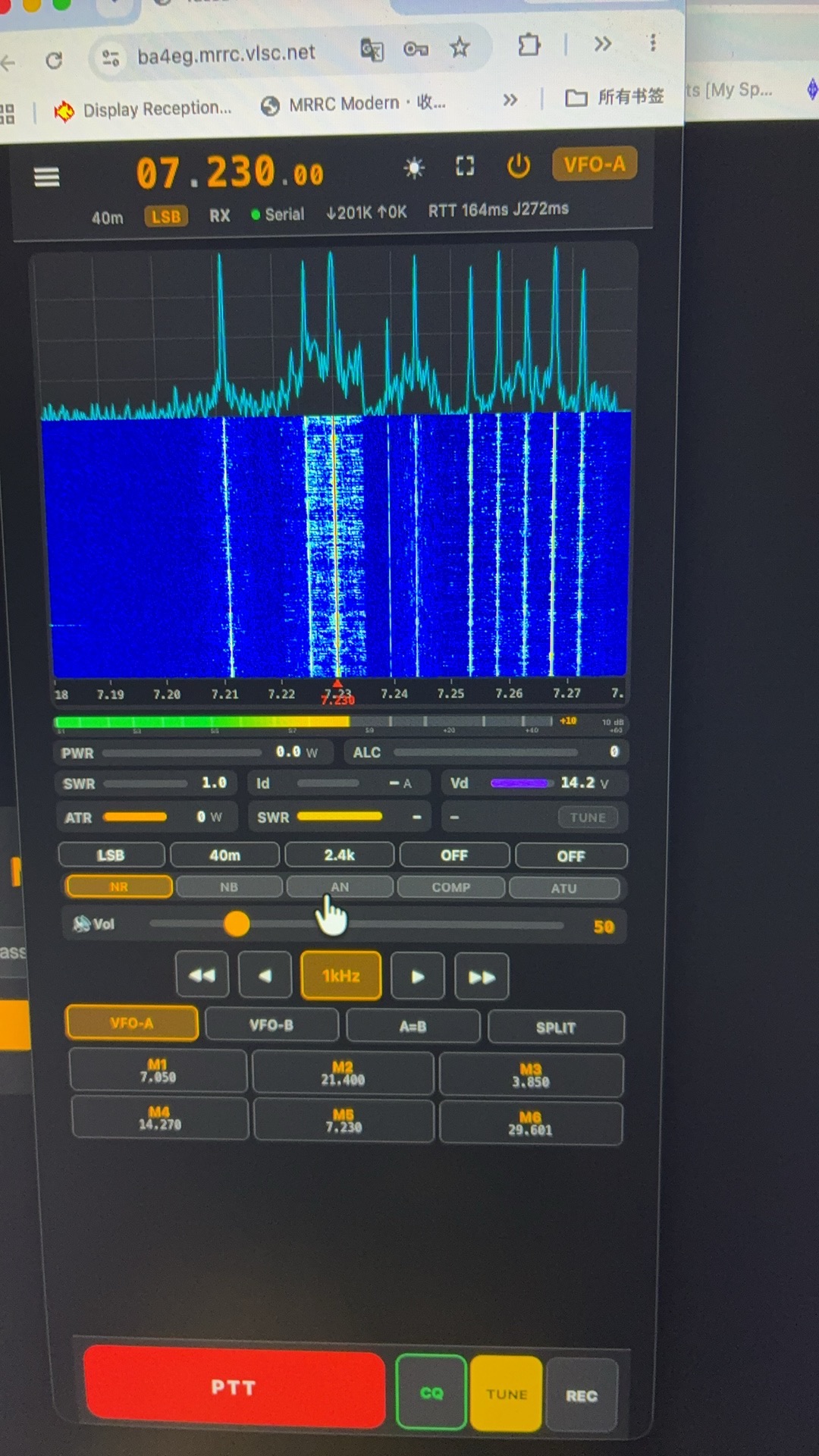
| CAT control | Frequency, mode, filter, ATT and PRE read back live; polling steady on 40 m (7.050–7.053 MHz, LSB, 2.4 kHz) |
| Receive audio | 50.0 frames/s, 20 ms spacing, Opus at ~52 kbps — listened continuously in a phone browser |
| Transmit |
Phone microphone → server → the radio's USB sound card: one session
with 62 frames, peak=100%, 57 frames written to the
radio, decode_fail=0, write_err=0,
queue_drops=0; the radio keyed and its TX meters
(PWR/SWR/ALC) came back
|
| QSO recording |
Two MP3s in recordings/:
07050kHz_20261011_102001.mp3 (134.7 s,
64 kbps) plus a short clip (199 KB)
|
| Real spectrum |
first frame received — spectrum active — the FT4222's
real spectrum, not the synthetic S-meter fallback
|
| The web UI | HTTPS with a self-signed certificate; opened from a phone, a tablet and a laptop; guests can be handed a listen-only password |
| 24/7 | Moved house, power cut, powered back up: systemd brings it back by itself; under 5 W, passively cooled |
| Its own storage |
armbian-install moved the running system onto the
internal 28.9 GB eMMC; it boots with no stick
attached, and the factory bootloader was verified
byte for byte (cmp over [0,444) and
[512,4 MiB) — only the 68-byte partition table differs)
|
| Public access |
Live on Cloud Hub:
https://<callsign>.mrrc.vlsc.net/ serves HTTPS
with a hub-issued certificate; a DDNS name keeps following the box's
IPv6 address
|
And it is reachable from the internet now.
Cloud Hub hands the box a callsign entry
(https://<callsign>.mrrc.vlsc.net/, example:
https://bg1sb.mrrc.vlsc.net/) with its own certificate, so
the phone UI follows you out of the house; guests can be handed a
listen-only password.
On the LAN nothing changed — it is still doing all of the work.
-
It depends on a vendor kernel: the box's Wi-Fi needs
Amlogic's patched kernel and firmware.
Upgrade kernels only via
armbian-update, keeping the w103d variant — a generic kernel silently loses Wi-Fi. - The 100 Mb NIC: one client (a real spectrum at roughly 150 kbps plus Opus audio) is easy. Several listeners plus recording at once is where you start counting.
- This is not a retail product: it is one box we run ourselves. The image, the build scripts and this whole diagnostic record are in the repository, so anyone willing to spend an evening can reproduce it. If you would rather not, the N100 or the Raspberry Pi from sections 2 and 3 is your answer.
Written 2026-10-11, the day this box went live — and the day receive,
transmit, spectrum, recording and phone control were each verified on
the real hardware (the numbers are in section 8). Every figure here
comes from that day's logs, commits and artifact checks, including the
one-line test for each of the six defects.
Updated 2026-10-12: step ⑤ (install onto the box itself) and public
access were added the next day.
The image is on the
download page;
step-by-step operation is in the
W103D guide.
中文版:125 元的盒子